Complete Your Payment
Thank you for choosing isoPep Sciences. Select your preferred payment method below to complete your order.
IMPORTANT PAYMENT INSTRUCTIONS
Enter ONLY your order number in the payment memo or note field. Do not include product names, descriptions, or additional comments. Orders containing additional memo information will be canceled.
Pay with Zelle
Direct bank-to-bank payment
No additional payment fees
No additional payment fees
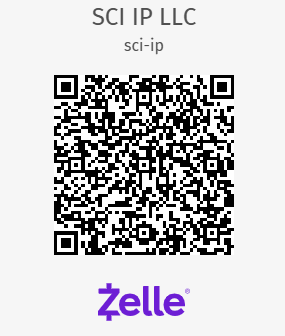
Recipient: SCI IP LLC
Zelle Name: sci-ip
Zelle Name: sci-ip
Zelle Instructions
1. Open Zelle through your banking app.
2. Scan the QR code above.
3. Enter your exact order total.
4. Enter ONLY your order number in the memo.
5. Confirm and send your payment.
Card & Digital Payments
Credit Card | Apple Pay | Bank Account
Processed through our external payment portal
Processed through our external payment portal
Merchant: SCI IP LLC
Portal: Autobooks
Portal: Autobooks
Payment Instructions
1. Scan the QR code or click below.
2. Enter your exact order total.
3. Select an available payment method.
4. Enter ONLY your order number in the note field.
5. Complete your payment.
What Happens After Payment?
- Complete your payment using your preferred method.
- Include your order number only in the payment memo.
- Our team will verify your payment and match it to your order.
- Once payment is confirmed, your order will proceed to processing.
- Shipping confirmation and tracking information will be provided when your order ships.